
Clear aligner design service
Clear aligner design service with an AI agent
Upload the upper and lower scans and your prescription. AlignerBot, GuideMia's AI agent, runs the case in GuideMia OrthoPlus and returns the plan for your review in 5 to 10 minutes, 24/7.
Clear aligner design service
Clear aligner treatment planning and aligner design
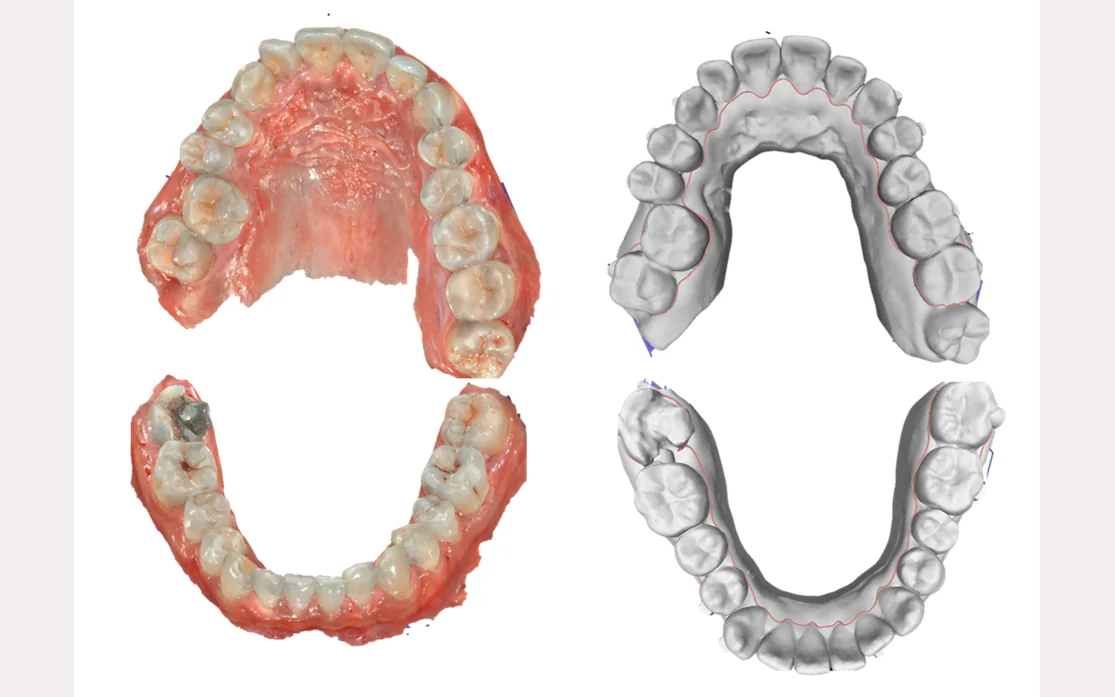
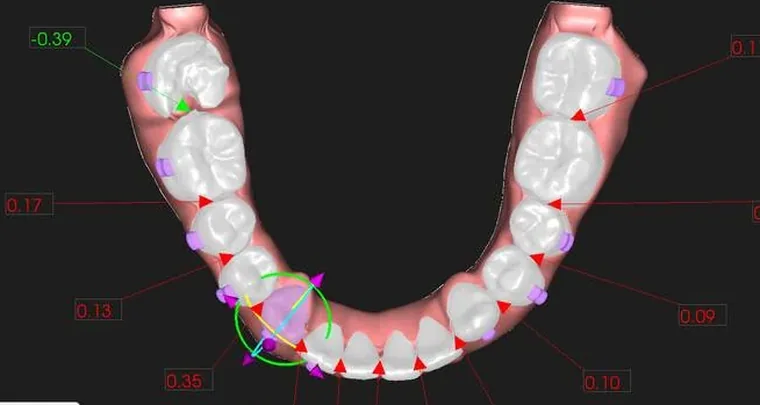
ClearAligner.AI is a clear aligner design service for dentists, orthodontists and dental labs. Send the upper and lower intraoral scans and your prescription. AlignerBot, GuideMia's AI agent, prepares the aligner setup in GuideMia OrthoPlus: tooth segmentation, final tooth positions, staging, IPR and attachments. You review the treatment plan in your browser, approve it, and download the aligner design files to 3D print and thermoform in your practice or send to a dental lab. Cympha LMS, a partner dental lab management system, is at cympha.com.
Clear aligner treatment planning
An initial treatment plan for each case: tooth movement, staging, IPR and attachments, reviewed step by step in 3D. Changes to the plan are included in the case price.
Clear aligner planning for dentists →Aligner design files for in-office aligners
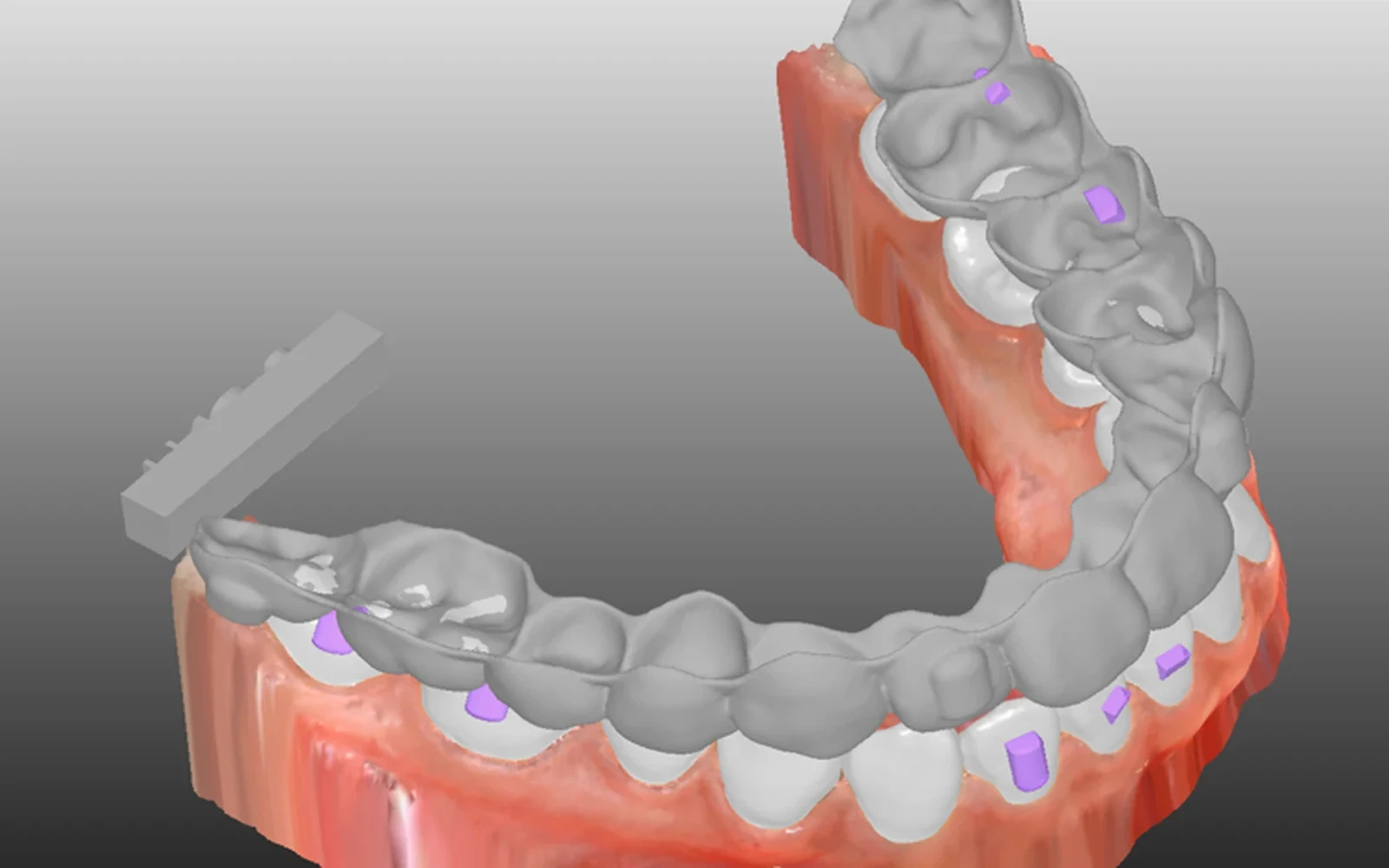
Arch models with cutting paths for thermoforming, or aligner models to 3D print directly, for the steps you choose.
How to make clear aligners →Aligner setups for dental labs
Labs send cases for the dentists they work with, review the setup with them, and manufacture the aligners from the design files.
Aligner design for dental labs →
Compared
Outsourced aligner design compared with the online design service
With a conventional design partner, every plan and every change waits for a technician, often in another time zone. ClearAligner.AI answers as soon as a case is sent, at any hour.
| Conventional design partner | ClearAligner.AI | |
|---|---|---|
| First treatment plan | Typically 1 to 2 business days; some systems take a week or more | 5 to 10 minutes |
| Each revision | Another round-trip with the technician, often days | Send changes; a new plan as fast as the first |
| Hours | The partner's business hours and working days | Online 24/7 |
| Time zones | Questions and changes wait for the partner's working day | No partner time zone to wait for |
| Revision fees | Some partners charge for each revision | Plan changes are included |
| Price | Per case, varies by partner | One price per case, shown before you submit |
How it works
How the clear aligner design service works
From intraoral scans to aligner design files in four steps. Each dental case has one page that opens on the step waiting for you, and a message thread with GuideMia. Each status change, such as a plan ready to review, reaches you by email and in the app's notification bell. Compared with outsourced and in-house setups
- Step 1
Upload the two scans
Upper and lower arch scans as STL, PLY or OBJ, exported in the bite. Your browser checks each file and repairs small holes before upload.
- Step 2
Write the prescription
Attachments, missing teeth and the case questions. The planning parameters (teeth to move, expansion, IPR, midline, extractions) are optional; OrthoPlus defaults apply to any you leave empty.
- Step 3
Review the plan
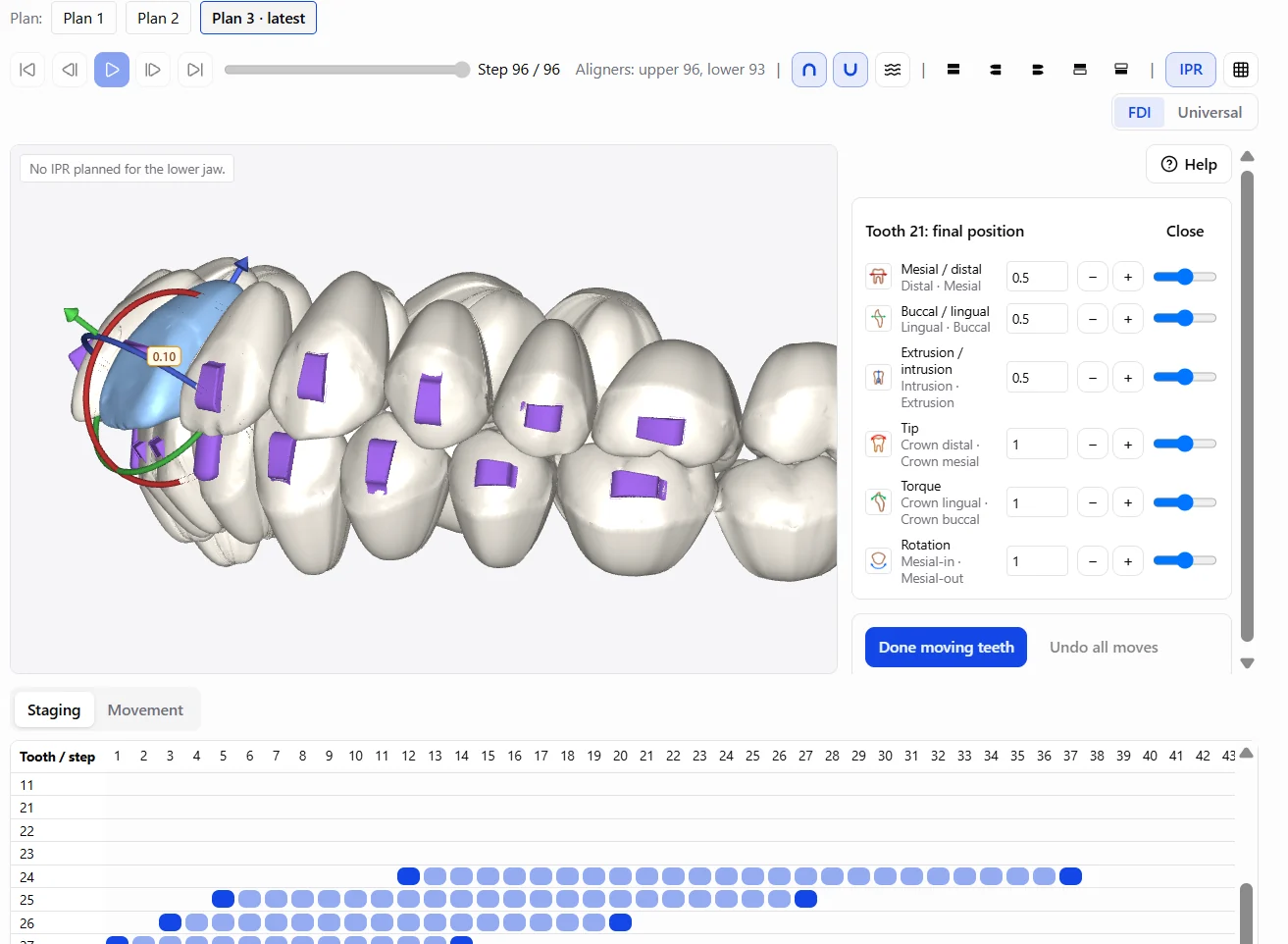
AlignerBot runs the case in GuideMia OrthoPlus. Step through the plan in 3D with the movement, staging and IPR tables, add colleagues to review it, then approve it or send changes for a new plan. Every plan the case receives is listed with its date and status.
- Step 4
Download the design
Request the design: aligner or arch models, the steps and cutting paths. OrthoPlus produces the models with their attachments for you to download and send to any lab. Another design of the same plan can be requested after one is delivered.
Plan adjustment made easy
Tell the web app what you want, in your language
Write the change in words, for example "intrude 21 by 0.5 mm, tip 23 lingually by 2°". The web app turns it into exact tooth movements and shows them in the 3D view before you apply them. Goals such as "tip 12 until it touches the lower teeth" are measured and shown the same way.
How to write instructions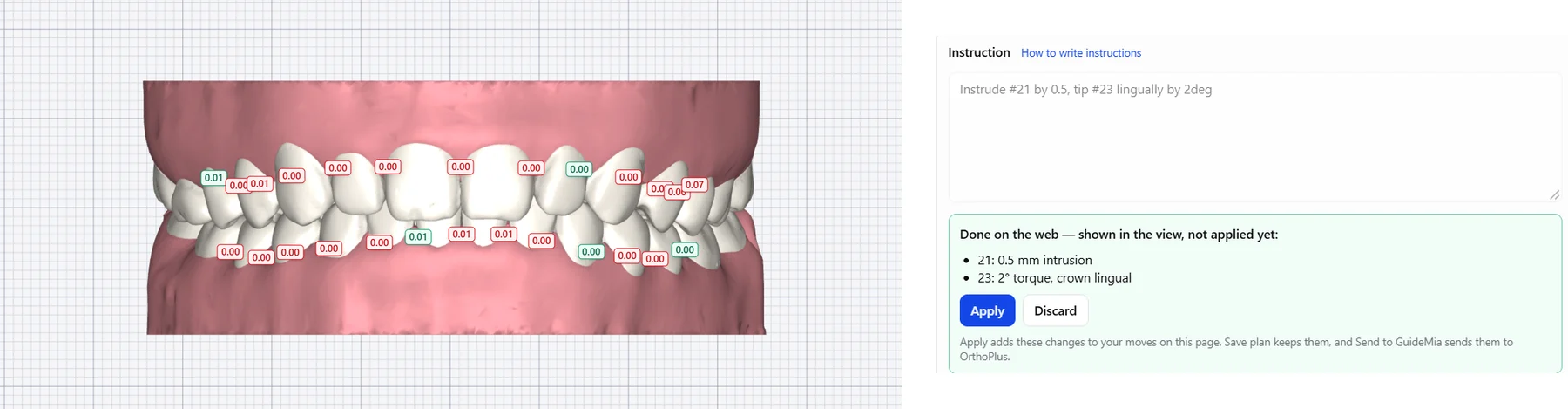
Technology
Clear aligner treatment planning software: GuideMia OrthoPlus
Every case is planned and designed in OrthoPlus, GuideMia's orthodontic treatment planning and aligner design software, FDA 510(k) cleared (K162850). AlignerBot, GuideMia's AI agent, operates it on GuideMia's design workstations. The website carries your scans, prescription and decisions to the software and brings the plan and the design files back to you.
The technology behind ClearAligner.AI →Treatment options
Your clear aligner prescription, in OrthoPlus planning parameters
The case form carries the planning parameters of GuideMia OrthoPlus. All of them are optional: leave the section folded and OrthoPlus plans with its defaults, or open it and set the ones that matter for the case.
- Attachments on or off
- Missing teeth on a tooth chart (FDI or Universal), space kept or closed
- Teeth to move per jaw: all, 3–3, 4–4 or 5–5
- Extractions: none, the teeth you mark, or proposed by OrthoPlus for your review
- Protrusion, retraction, distalization and expansion
- Extrusion and intrusion
- IPR per contact and midline alignment
- Curve of Spee, inclination and virtual roots (advanced)
- Notes to the planner
- When you request the design: aligner or arch models, the steps, cutting paths
Pricing
Clear aligner design pricing: one price per case
Choose the case type when you submit; the price is paid from your account balance, topped up by card. Pricing details
Planning only
AlignerBot plans the treatment and you review it in 3D. Changes to the plan are included. Upgrade to aligner design at any point before the design starts.
Aligner design
The plan, then the aligner or arch models GuideMia produces after you approve it and request the design. Changes to the plan are included.
Manual design
The GuideMia Design lab plans and designs the dental case instead of AlignerBot. It cannot change type later; it can be cancelled.
Lab directory
Make the aligners in-house or with a dental lab
3D print and thermoform the aligners in your practice, or send the design files to a dental lab. Labs in the directory list their services, accepted file formats and turnaround; you contact them directly.
- What is a clear aligner design service?
- A service that turns a patient's intraoral scans and the dentist's prescription into a clear aligner treatment plan and the files to make the aligners. At ClearAligner.AI the plan and the aligner design are made in GuideMia OrthoPlus, and the dentist approves the plan before any design is made.
- Can I make the aligners in my practice?
- Yes. Download arch models to 3D print and thermoform, or aligner models to print directly. The page on making clear aligners lists the steps, equipment and materials.
- Which intraoral scanners work?
- Any intraoral scanner that exports STL, PLY or OBJ files, with the upper and lower arches exported in the bite.
- Do I need to install software?
- No. The case form, the 3D plan viewer and the downloads run in your browser. OrthoPlus runs on GuideMia's design workstations.
- Who is responsible for the treatment?
- ClearAligner.AI provides initial treatment plans and design files for review by a licensed dental professional. The prescribing dentist is responsible for the final treatment plan and for approving it, and with whoever makes the aligners, for the appliances made from the files and the treatment delivered to the patient.